An Introduction to Game Development
Published May 24, 2023, updated May 24, 2023
This content was brought over from the old version of my portfolio blog, so there may be some inconsistencies in styling or formatting.
So you wanna make video games? Well, you've come to the right place! This document will teach you the basics of game development, and give you a solid foundation to build on. This document will cover everything from general game design, to programming, to art, to sound, and more. It will also cover some popular game engines and resources, and include plenty of references to videos, books, or articles.
This guide was made for the Mount Royal University Game Design and Development Club.
Table of Contents
Game Design
What is Game Design?
Game design is the process of designing the content and rules of a game. This includes the game's story, characters, environment, props, sound, interface, and more. Game design is a very broad topic, and can be broken down into many sub-topics. For example, level design is the process of designing the levels in a game. This includes the layout of the level, the placement of enemies, the placement of items, and more. Another example is character design, which is the process of designing the characters in a game. This includes the character's appearance, personality, abilities, and more. Game design is a very important part of game development, and is often overlooked by beginners. It's easy to jump right into programming, but it's important to lay some groundwork before anything. It's important to understand that game design is not just about making a game look good, but also about making it fun to play.
What are some different genres?
Arguably the most important part of game design is the genre. The genre of a game dictates what type of game you're making. There are many different genres, and each one has its own unique set of rules and mechanics. Some of the most popular genres are:
- Action
- Adventure
- Role-Playing
- Simulation
- Strategy
- Sports
- Puzzle
From there, we can break down what I call the "subgenres". The main genre of a game covers the content of the game, more the setting or overall theme. The subgenre dictates how that theme will be conveyed mechanically. Game mechanics are how you interact with the world around you, and how that world interacts with you. Some common subgenres are:
- Platformer
- First Person Shooter
- Top Down Shooter
- Turn Based Strategy
- Real Time Strategy
- Visual Novel
- Point and Click
- Roguelike
- Metroidvania
Once you combine a genre and a subgenre, you can begin to craft your game around a set of tried and true rules or guidelines. Here are some examples:
- Strategy Real Time Strategy
- Age of Empires
- Starcraft
- Command and Conquer
- Action Platformer
- Super Mario
- Celeste
- Super Meat Boy
- Top Down Shooter Roguelike
- The Binding of Isaac
- Enter the Gungeon
- Nuclear Throne
There's tons of combinations out there, and plenty of genres and subgenres to explore.
Where do I start?
Let's go through the process of designing a game together! We'll use an old game of mine, Rorschach, as an example.
First, let's pick a genre: what kind of game do we want to make? With Rorschach, I wanted to come up with a puzzle game, so the puzzle genre was a great fit.
For the subgenre, I wanted to try my hand at a platformer. I thought these two genres would work well together, so I decided to go with a puzzle platformer!
Now, for the main mechanic. We have some rules about platformers that we have to follow, but in order to create a puzzle game, how can we modify, expand, or limit these rules to force the player to think differently? Well, what if the player can only see so many platforms? Maybe they have some sort of mechanic they have to use to see the rest of the platforms.
Now with my main idea in hand, I had a final genre and subgenre: Puzzle Platformer. I also had a main mechanic: the player must use a mechanic to reveal the platforms.
Roadmapping
When working on a project, it's good to break down the steps you'll need to take to complete it. This is called roadmapping. Roadmapping is a great way to keep track of your progress, and to make sure you're on track to finish your project. It's also a great way to keep yourself motivated, as you can see your progress as you go. Here's an example of a roadmap for Rorschach:
- Create a player
- Have the player move, jump, and fall with gravity
- Have the player collide with platforms
- Create a simple image, or sprite, for the player
- Create a platform
- Have the platform collide with the player
- Create a simple sprite for the platform
- Create a level
- Create a level layout
- Add a start and end point
- Add the main mechanic
- Add some way to indicate how much ink a player has
- Add a way to drop ink onto platforms
- Set all platforms to be invisible at the start of the level, and only become visible when ink is dropped on them
- Add a way to win
- Add a way to detect when the player reaches the end of the level
- Add a way to change levels
- Add restarting a level after death.
- Finishing touches
- Add a title screen
- Add a way to quit the game
- Add a way to pause the game
- Create some sound effects
- Create some music
That's a lot of steps, but most of them are pretty small! It's important to break down your project into small, manageable steps. This will make it easier to keep track of your progress, and will make it easier to stay motivated.
It's also ok to scrap steps, reorder things, or restart all together. Game development should be fun, and if you're getting stressed, worried, or losing interest, make adjustments to keep yourself engaged.
Game Design Resources
-
A great YouTube channel that covers all aspects of game design. Highly recommended. This is his playlist of videos on game design, but he also has videos on specific games, genres, or mechanics.
-
A great talk by Ian Bogost, who talks about what makes games fun.
-
A great video talking about the difficulties of game design.
Programming
This is your meat and potatoes, your skeleton. This is the backbone of what will become your game. Programming is the process of writing code that tells the computer what to do. This code can be written in many different languages, and can be used to do many different things. For example, you can write code to make a website, or code to make a game. You can write code to make a program that does math, or code to make a program that plays music. Programming is a very broad topic, and can be broken down into many sub-topics. Programming is a very important part of game development, and is often overlooked by beginners. It's important to understand that programming is not about making a game look good, but about making it playable, and fun to play.
Intro to Python
If you're a student at Mount Royal University in a degree that involves computing, you should be taking COMP1701. This course will cover all the basics of programming for you, and has a fantastic textbook written by a super humble dude. Python will introduce you to the concepts of datatypes, sequences, functions, loops, inputs, outputs, external files, and merging all these elements together into one cohesive package.
Here are a few resources to get you started:
-
Foundations of Python Programming
This is one of the best online resources for learning Python. It assumes you're an absolute beginner, and is full of interactive excersizes. Not at all biased, but I am a named author.
-
This is the official documentation for Python. It's a great resource for learning the language, and has a ton of examples.
Intro to Java
This is where we start getting into the real content. Python laid out the building blocks for us, but this'll throw us right into the deep end. Object Oriented Programming is a very important concept to understand, and Java is a great language to learn it in. It's used a lot in post-secondary education, and is a great language to learn as it will introduce you to the concepts of classes, objects, inheritance, polymorphism, and more. These are critical for game development, as objects are the building blocks of your game. You'll have a player object, an enemy object, a platform object, and more. These objects will have properties, like position, size, and color. Learning how to create and use these objects is critical to game development, and to programming in general.
Here are a few resources to get you started:
-
This is the official documentation for Java. It's a... resource for learning the language, but is probably the most in-depth out there.
-
Primarily a home for documentation, W3 Schools has some great tutorials for Java.
-
This was a guide I made in my first semester of University for my peers, since I work in Java professionally and know my way around. Thought I'd show people the ropes and all that.
C# in a nutshell
If you learned Java, you've learned 90% of C#. C# is a very similar language, and is used in a lot of game engines. It's a great language to learn. C# is used in Unity, Godot, and MonoGame, so it's a great language to learn if you want to use any of those engines. It's also used in a lot of professional settings, and is really powerful for making desktop applications.
-
This is a great crash course for Java developers looking to learn C#.
-
This is the official documentation for C#. It's a bit dry, but pretty comprehensive.
Art
Art is the number one reason people will play your game, simple as that. If your game looks good, people will play it. If it doesn't, they won't. It's that simple. Art is a very broad topic, and can be broken down into many sub-topics. For example, pixel art is the process of creating art using pixels, which when used in a game, are called sprites. Another example is 3D modeling, which is the process of creating 3D models. This includes the model's shape, texture, and more. Art is a very important part of game development. It's important to understand that art is not just about making a game look good, but tying everything together.
Intro to Aseprite
Aseprite is the best tool on the market for pixel art, period. It's great for beginners, but has been used on some of the biggest indie games out there like Celeste, Unpacking, or Stardew Valley. It's a great tool to learn, and is a great way to get into pixel art. It's also a great way to get into animation, as it has some great tools for animating sprites. It's a pretty penny, but is well worth the price.
- Aseprite
The official website for Aseprite. You can buy it here, or on Steam.
Here are some great resources for learning Aseprite:
-
A great reference for most of the tools in Aseprite.
-
A great video on the basics of pixel art.
-
Tilesets are a great way to make levels in a game. This is a quick look at how to make a tileset.
-
A great video on how to animate sprites.
-
A great blog on pixel art by the lead artist of Celeste. They have some great tutorials, and some great resources.
Intro to Blender
If you're going the 3D game route, this is the tool for you. Blender is a free, open source 3D modeling tool. It's used by professionals and hobbyists alike, and is a great tool to learn. It's a bit daunting at first, but there's plenty of resources out there to help you learn.
- Blender
The official website for Blender. You can download it here.
Here are some great resources for learning Blender:
-
A great reference for starting in Blender.
-
If you're animating a character, you'll need to rig it. This is a great video on how to do that.
Photoshop for Pixel Art
If you feel so inclined, you can use Photoshop for pixel art. It's not the best tool for the job, but it's a great tool to learn. It's also a great tool for editing sprites, or creating textures for 3D models.
- Photoshop
The official website for Photoshop. You can buy it here for a ridiculous price.
Here are some great resources for learning Photoshop:
-
A great reference for starting in Photoshop.
-
A great video on how to make pixel art in Photoshop.
Extra Tools and Resources
There are tons of great tools out there that we haven't covered. Here are some of the best:
-
A great free online tool for making pixel art.
-
A great free alternative to Photoshop.
-
A great free alternative to Photoshop.
-
A great free alternative to Illustrator.
-
A great free alternative to Aseprite.
-
A great free tool for making ASCII art.
-
OpenGameArt and itch.io
Great resources for free game assets. Sometimes you just need a quick sprite, and these are great places to look.
Sound
A game's soundtrack is critical for establishing atmosphere, and immersing the player in the world you've created. Sound deals with both the music of your game, as well as any sound effects.
Intro to Audacity
Audacity is a free, open source audio editing tool. It's a great tool for editing sound effects, or creating music.
- Audacity
The official website for Audacity. You can download it here.
Here are some great resources for learning Audacity:
-
A great reference for starting in Audacity.
-
A great video on how to make sound effects for video games.
Intro to FL Studio
FL Studio is a paid audio editing tool. It's a great tool for creating music, and is used by professionals and hobbyists alike.
- FL Studio
The official website for FL Studio. You can buy it here.
Here are some great resources for learning FL Studio:
-
A great reference for starting in FL Studio.
-
A great video on how to make music for video games.
-
A famous FL Studio user, Toby Fox, made the music for Undertale in FL Studio. This is a great video on how he did it.
BFXR and SFXR
These are great tools for spinning up some quick sound effects. They're free, and open source, and are great for beginners. They're also totally allowed in game jams, so they're a great tool to have in your back pocket.
-
The official website for BFXR. You can download it here.
-
The official website for SFXR. You can download it here.
Extra Tools and Resources
Once again, there are tons of tools out there that we haven't covered. Here are some of the best:
-
A great free online tool for making music.
-
A great free alternative to FL Studio.
-
A great free online tool for making music.
-
A great free online tool for making music, super beginner friendly.
-
A great free tool for making chiptune music, although it's a bit more advanced.
Game Engines
Tackling a game engine will be the biggest hurdle you'll face. It's a lot to take in, and can be very daunting. It's important to remember that you don't need to know everything about a game engine to use it. You just need to know enough to get started. Once you get started, you can learn more as you go.
It's also important to remember that you don't need to use a game engine to make a game. You can make a game from scratch, but it's a lot of work. Game engines are great because they do a lot of the heavy lifting for you, and let you focus on making your game. There are tons of game engines out there, and each one has its own pros and cons. It's important to find the one that works best for you.
Here are some of the most popular game engines out there. I've included a list of some of the most popular games made with each engine, as well as a table of pros and cons for each one. I've also included some great resources for learning each engine. Each engine has its own style and niche, so make sure you do your research before you pick one.
Unity (C#)
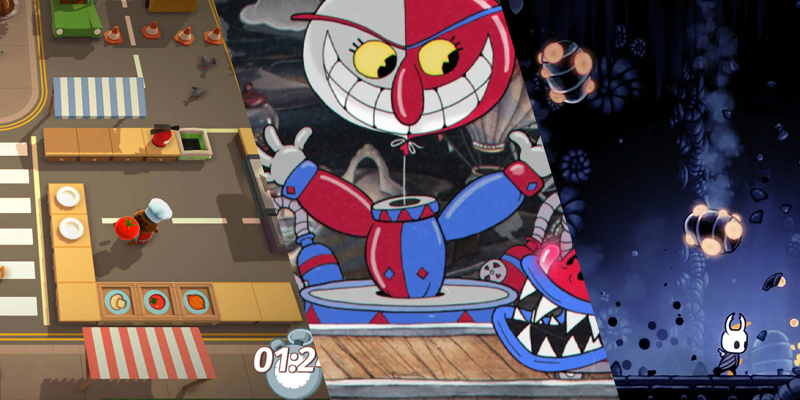 Games left to right: Overcooked, Cuphead, Hollow Knight.
Unity is one of the most popular game engines out there. It's used by professionals and hobbyists alike, and is a great engine to learn. It's a great engine for 3D games, and has the capabilities to handle 2D games as well. It's able to export to a ton of different platforms, and has a ton of great tools to help you make your game. It's also free to use, and has a great community behind it. Our executive Lawrence is a Unity expert, and is always happy to help out.
- Unity
The official website for Unity. You can download it here.
| Pros | Cons |
|---|---|
| Extensive platform support | Steeper learning curve for beginners |
| Robust and powerful development tools | Limited visual scripting options |
| Large and active community | Performance issues with complex scenes and high-end graphics |
| Asset Store with a wide range of resources | Lack of built-in support for certain advanced features |
| Cross-platform development capabilities | Limited support for native mobile features |
| Powerful 2D and 3D rendering capabilities | Integration issues with certain third-party tools |
Here are some great resources for learning Unity:
-
A great reference for starting in Unity.
-
The official documentation for Unity.
-
A great YouTube channel with tons of Unity tutorials.
-
A great resource for learning Unity. It has a ton of tutorials, and is a great place to start.
Godot ("python-ish", C#)
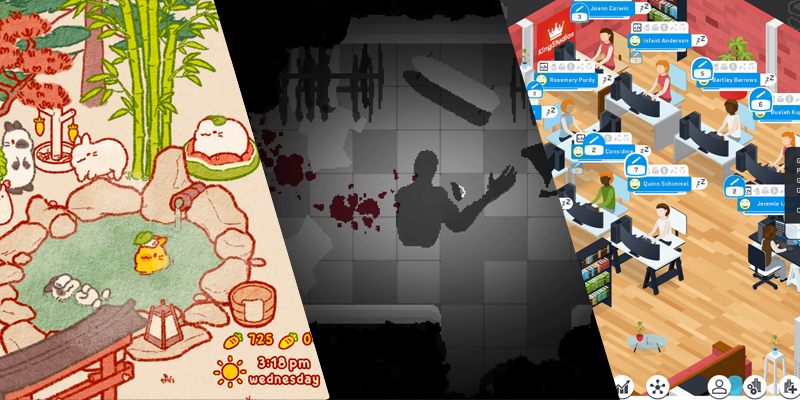 Games left to right: Usagi Shima, Endoparasitic, City Game Studio.
Unreal Engine is a powerful and widely-used game engine known for its stunning visual fidelity and advanced features. While Unity excels in 2D games, Unreal Engine shines in the realm of 3D games and photorealistic graphics. It offers a comprehensive set of tools for creating immersive and visually impressive experiences.
Godot is a great engine as it allows for several different programming languages. They have support for C# with .NET 6. which has a lot of great features, and is a great language to learn. They also have support for GDScript, which is a language similar to Python. It's a great language to learn, and is a lot more beginner friendly than C#. It's also a great language to learn if you're interested in or already know Python, as it's very similar.
- Godot
The official website for Godot. You can download it here.
| Pros | Cons |
|---|---|
| Free and open-source | Smaller community compared to some other engines |
| Intuitive and beginner-friendly | Limited number of official tutorials and resources |
| Node-based editor | Limited third-party plugins and assets compared to Unity |
| Efficient 2D and 3D rendering capabilities | Less robust in terms of high-end graphics and performance |
| Flexible and customizable | Limited built-in support for certain advanced features |
| Supports multiple programming languages | Mobile export can require additional setup and optimization |
| Active and growing community | Limited documentation in some areas |
| Dedicated support for version control | Less extensive platform support compared to Unity |
| Export to various platforms and operating systems | Less polished editor interface compared to some competitors |
Here are some great resources for learning Godot:
-
A great reference for starting in Godot.
-
The official documentation for Godot.
-
A great YouTube channel with tons of Godot tutorials.
Unreal Engine (C++)
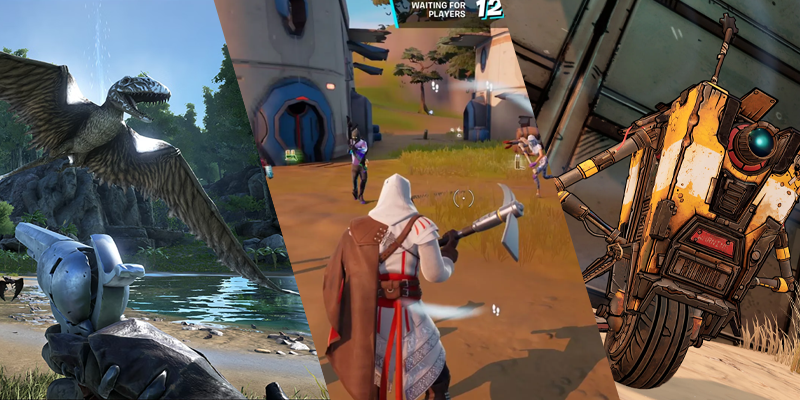 Games left to right: ARK: Survival Evolved, Fortnite, Borderlands 2.
Unreal Engine is a powerful and widely-used game engine known for its stunning visuals and advanced features. While Godot excels in 2D games, Unreal Engine shines in the realm of 3D games and photorealistic graphics. It offers a comprehensive set of tools for creating immersive and visually impressive experiences.
One of the key strengths of Unreal Engine is its C++ support, offering flexibility and performance for more experienced developers. However, it also offers a visual scripting system called Blueprints for those who prefer a more code-free approach to programming.
- Unreal Engine
The official website for Unreal Engine. You can download it here.
| Pros | Cons |
|---|---|
| Stunning visuals | Steeper learning curve compared to some other engines |
| Advanced rendering capabilities | Requires a more powerful hardware to run complex scenes |
| Robust and feature-rich development tools | C++ programming can be challenging for beginners |
| Blueprint visual scripting system | Larger file sizes compared to some other engines |
| Cross-platform support | Longer iteration times due to compilation of C++ code |
| Active and supportive community | More resource-intensive than some other engines |
| Extensive documentation and tutorials | Licensing fees and revenue sharing for commercial projects |
| Real-time collaboration and version control | Frequent compatibility issues between updates |
| Virtual reality (VR) and augmented reality (AR) support | More suitable for larger-scale projects with bigger teams |
Here are some great resources for learning Unreal Engine:
-
A great reference for starting in Unreal Engine.
-
The official documentation for Unreal Engine.
-
A full comprehensive course on Unreal Engine.
GameMaker Studio (GML)
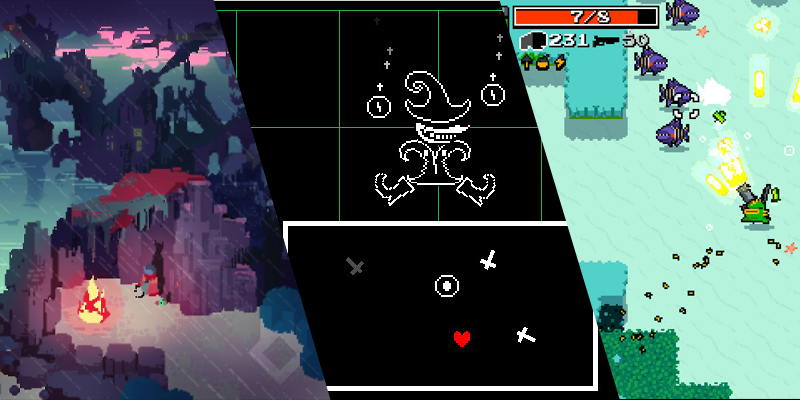 Games left to right: Hyper Light Drifter, Undertale, Nuclear Throne.
GameMaker Studio is a popular game engine for making 2D games. It's used by professionals and hobbyists alike, and is a great engine to learn. It's able to export to a ton of different platforms, and has a ton of great tools to help you make your game. It's free to use to a point, but you'll need to pay to export to certain platforms. It has a great community behind it, and is a great engine to learn.
GameMaker has both a visual scripting system, and a programming language called GML. GML is very similar to JavaScript, and is a great language to learn if you're interested in or already know JavaScript. This is VP Matthew's engine of choice, and he's spent a lot of time tweaking it to his liking. He's sometimes happy to help out. Sometimes.
- GameMaker Studio
The official website for GameMaker Studio. You can download it here.
| Pros | Cons |
|---|---|
| Beginner-friendly | Limited 3D capabilities compared to some other engines |
| Drag-and-drop visual scripting | Performance limitations for complex and demanding games |
| Powerful and flexible coding language (GML) | Limited platform support compared to some other engines |
| Rapid prototyping | Limited built-in support for certain advanced features |
| Active and supportive community | 2D-focused engine, may not be ideal for 3D game development |
| Extensive documentation and tutorials | Requires a paid license for advanced features and exports |
| Asset Marketplace for additional resources | Limited built-in version control and collaboration features |
| Multi-platform support | Exporting to certain platforms may require additional setup |
| Seamless integration of audio and graphics | Less robust in terms of high-end graphics and effects |
Here are some great resources for learning GameMaker Studio:
-
A great reference for starting in GameMaker Studio.
-
GameMaker Studio Documentation
The official documentation for GameMaker Studio.
-
A great YouTube channel with tons of GameMaker Studio tutorials.
-
A full comprehensive course on GameMaker Studio.
MonoGame (C#)
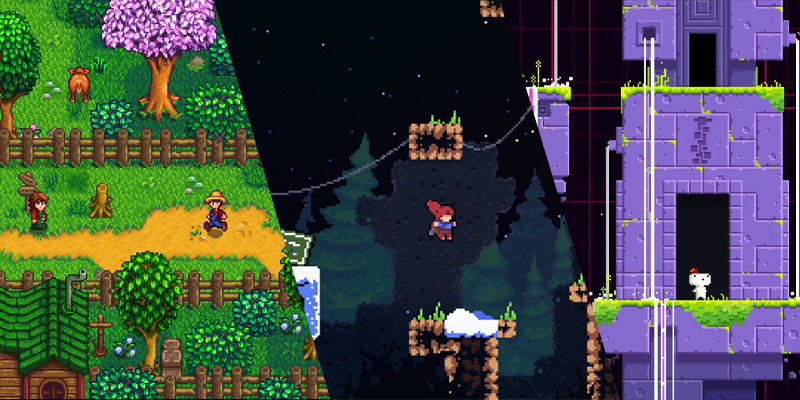 Games left to right: Stardew Valley, Celeste, Fez.
MonoGame is the open-source implementation of Microsoft's XNA framework, which is now properly obsolete. It's a great engine for 2D games, and has the capabilities to handle 3D games as well. It's able to export to a ton of different platforms, and has a ton of great tools to help you make your game. It's also totally free and open source. It's a great engine to learn if you're already familiar with C# and have strong object oriented programming skills.
MonoGame is not an engine, but a framework. This means a lot of the heavy lifting is done for you, but you'll need to do a lot of the work yourself. In a way, you'll be building the actual engine yourself. It's a great way to learn how game engines work, and is a great way to learn how to make games from scratch. Matthew's done a fair bit of work in MonoGame, and is sometimes happy to help out. Sometimes.
- MonoGame
The official website for MonoGame. You can download it here.
| Pros | Cons |
|---|---|
| Free and open-source | Steeper learning curve for beginners |
| Cross-platform development capabilities | Requires knowledge of programming languages (C#) |
| Direct access to low-level APIs | Less visual scripting options compared to some other engines |
| High performance and efficiency | Limited built-in tools and features |
| Flexible and customizable | Documentation can be sparse or outdated in certain areas |
| Robust community and active forums | Less extensive asset marketplace compared to other engines |
| Suitable for 2D and 3D game development | Development workflow can be more manual and hands-on |
| Compatible with existing XNA projects | Less beginner-friendly compared to some other engines |
| Integration with popular development tools | Limited support for certain advanced graphics techniques |
Here are some great resources for learning MonoGame:
-
A great reference for starting in MonoGame.
-
The official documentation for MonoGame.
-
A really full comprehensive course on MonoGame.
PyGame (Python)
Note: PyGame is a less popular framework for larger games, but is a great framework for smaller games. Therefore, there's no banner or games made in this framework listed. It's still a great framework to learn nonetheless.
If you're intimidated by C# or C++, PyGame is a great alternative. It's a great framework for 2D games, and has the capabilities to handle 3D games as well. It's able to export to a ton of different platforms, and has a ton of great tools to help you make your game. It's also totally free and open source. It's a great framework to learn if you're already familiar with Python and have strong object oriented programming skills.
Just like MonoGame, PyGame isn't an engine, but a framework. This means a lot of the heavy lifting is done for you, but you'll need to do a lot of the work yourself. You won't be goven tools like a level editor or a sprite editor, so you'll need to either implement these yourself, or use third party tools.
- PyGame
The official website for PyGame. You can download it here.
| Pros | Cons |
|---|---|
| Beginner-friendly | Limited built-in features and tools compared to other engines |
| Easy to learn and use | Performance limitations for complex and demanding games |
| Python programming language | Limited platform support compared to some other engines |
| Lightweight and efficient | Lack of built-in support for advanced graphics techniques |
| Extensive documentation and tutorials | Limited visual scripting options |
| Active community and resources | Lack of a dedicated integrated development environment (IDE) |
| Cross-platform support | May require additional libraries for specific functionalities |
| Open-source and free | 2D-focused engine, may not be ideal for 3D game development |
| Integration with other Python libraries | Less suited for large-scale and complex game projects |
Here are some great resources for learning PyGame:
-
A great reference for starting in PyGame.
-
The official documentation for PyGame. It's so ugly, we're sorry.
-
A full comprehensive course on PyGame.
Extra Tools and Resources
There are plenty of other great frameworks and engines out there. A great trick is to look into what your favourite games were made in, and see if you can find the engine they used. Here are some of the best:
-
A great engine for quick 2D games. It's able to export to a ton of different platforms, and has a ton of great tools to help you make your game.
-
A great engine for making RPGs. It's a great engine to learn if that's a genre you're interested in. It's able to export to a ton of different platforms, and has a ton of great tools to help you make your game.
-
A great engine for Mobile Games, although reviews are mixed.
-
A great framework for 2D games with JavaScript. It's used by hobbyists, and is a great framework to learn. It's totally free and open source.
-
This is a web framework, but can be hackjobbed into a game if needed. Matthew did this for Ludum Dare 53, and placed 10th in mood overall. It's a great framework to learn if you're interested in web development, less so for game development.
-
This is a game engine, but it's a bit different. It's a fantasy console, which means it's a game engine that's built to look like a console. It's a great engine to learn if you're interested in retro games, and is a great way to learn how to make games from scratch. It's also a great way to learn Lua, which is a... language to learn if you're interested in or already know Python.
Extra Tools and Resources
What Else Is There?
This is a great question! There's a lot of other things that go into game development that we haven't covered. This is just a bare bones guide to get you started. As you begin your journey into game development, there are tons of other things you'll need to learn and develop. This isn't a comprehensive list of skills and tools you need to learn, it's merely a stepping stone. Make sure you're exploring other resources, and learning other skills.
Here are some extra tools, resources, guides, websites, and references that are super helpful to get you going. Make sure to do your own explorations as well, and find what works best for you. Remember, this is a journey, and you're just getting started. If you have any references you've discovered that you'd like to share, feel free to make a pull request and add them to the list!
Books
Although software development books are normally a bad investment, as the world of programming is changing so rapidly, there are a few resources that go beyond just language comprehension. These books are great for learning ideas beyond just programming, and are great resources for learning how to make games.
-
This is a Masterclass on animation, and is a great resource for learning how to animate. It's a great resource for learning how to make your game feel alive, and is a must read for any animator or artist. I really encourage you to pick a physical copy of this book up, as it's gorgeous.
-
An Architectural Approach to Level Design
Written by a professor at George Mason University, this book is acts as a Bible for level design. It's a phenomenal resource for everything level design, and is a must read for any level designer or video game enthusiast. There are some free PDF versions out there if you look hard enough, but I encourage you to pick up a physical copy, as it's a great book to have on your shelf.
-
Written by Derek Yu, the creator of hit Roguelike game Spelunky, this game covers not just the development of Spelunky, but the culture of the indie development scene. It's a great read, and is a must read for any indie developer. It also has a phallus on the cover, which is funny.
Videos
There's a wide range of indie developers out there, and a lot of them have some very informative videos on their lifestyles, development processes, and everything in between. They're a great resource for learning how to make games, the process of designing a game, and the act of developing a game to fruition.
-
A great YouTube channel with tons of videos on game design.
-
Miziziziz An indie Godot developer with tons of great videos on game development and design.
-
A Ludum Dare veteran with a massive catalogue of documentaries detailing their developmental processes.
-
A brilliant developer with a great series of videos on conquering difficult programming challenges.
Game Developers Conferences
I'll add in a subsection for a few of the best GDC talks I've seen. These are great resources for learning how to make games, and are a great way to learn from the best in the industry. These are usually quite dense, but are well worth the watch.
-
The official YouTube channel for GDC.
-
A great talk on some essential math for game development, mostly targeted at platformers.
-
The Untapped Potential of Roguelikes
A great talk on the potential of Roguelikes, and how their properties can be used to make great games.
-
A series of mini-lectures on various technical tools and techniques for game development.
-
A fascinating, low-level look at the rendering techniques used in the game INSIDE.
-
A dive into the world of 1D nonlinear transformations, and how they can be used to make better games.
-
The Implementation of Rewind in Braid
Jonathan Blow, the creator of Braid and of the greatest puzzle game designers of our generation, gives a talk on how he implemented the rewind mechanic in Braid.
-
Applying 3D Level Design Skills to a 2D World
A look at how the Hyper Light Drifter team implemented 3D level design techniques to a 2D game.
Websites / Blogs
Apart from the obvious ones like Gamasutra, GameDev.net, and GameDev StackExchange, there are a few other great resources out there for learning how to make games, such as developer's Twitters, blogs, and websites.
-
A hub of information on Roguelike games, and a great resource for everything from level generation to turn based combat systems.
-
A little trove of game design articles and essays.
-
A blog by two indie developers who live on a boat. They have some great articles on game development, software development, and life without a country.
-
ENDESGA is a solo developer who's made some of the most famous indie dev color pallets out there (EDG16, EDG32).
-
A great resource for pixel art, palettes, and pixel art tutorials.